
Why Is Your Video Always m3u8? Unveiling the Streaming Technology Behind Netflix and TikTok
Ever wondered why web video URLs often end in .m3u8? This article explains the working principles of the HLS protocol, the magic of Adaptive Bitrate technology, and how it solves video buffering issues. A must-read streaming media guide for developers.
Let’s be honest.
Most developers’ first reaction when handling video is still to just throw an MP4 file up there.
You might think it’s hassle-free: no server configuration, no slicing, and you don’t even need to understand any streaming protocols. Just a <video src="movie.mp4"> tag, and everything seems perfect.
Until disaster strikes.
Your users start complaining that the video loads too slowly on 4G networks; your server bandwidth costs explode as traffic surges; and worse, when users try to watch in poor network conditions, they see not a smooth picture, but an infinite “spinner.”
Cruel? Maybe. Real? Absolutely.
I’ve made the same mistake. I once tried to host a 300MB HD promotional video directly on a client’s landing page.
The result?
Their bounce rate skyrocketed by 40% that month. Users didn’t have the patience to wait for that huge file to finish downloading. On mobile, that video was simply a data killer.
Spoiler Alert: The solution to this problem isn’t a faster server, but an inconspicuous text file—.m3u8.
So, why does this string of strange characters rule today’s streaming world? How does it allow Netflix, YouTube, and TikTok to play smoothly across various networks?
Let’s get started.
Step 1️⃣: Understanding the Magic of “Slicing”
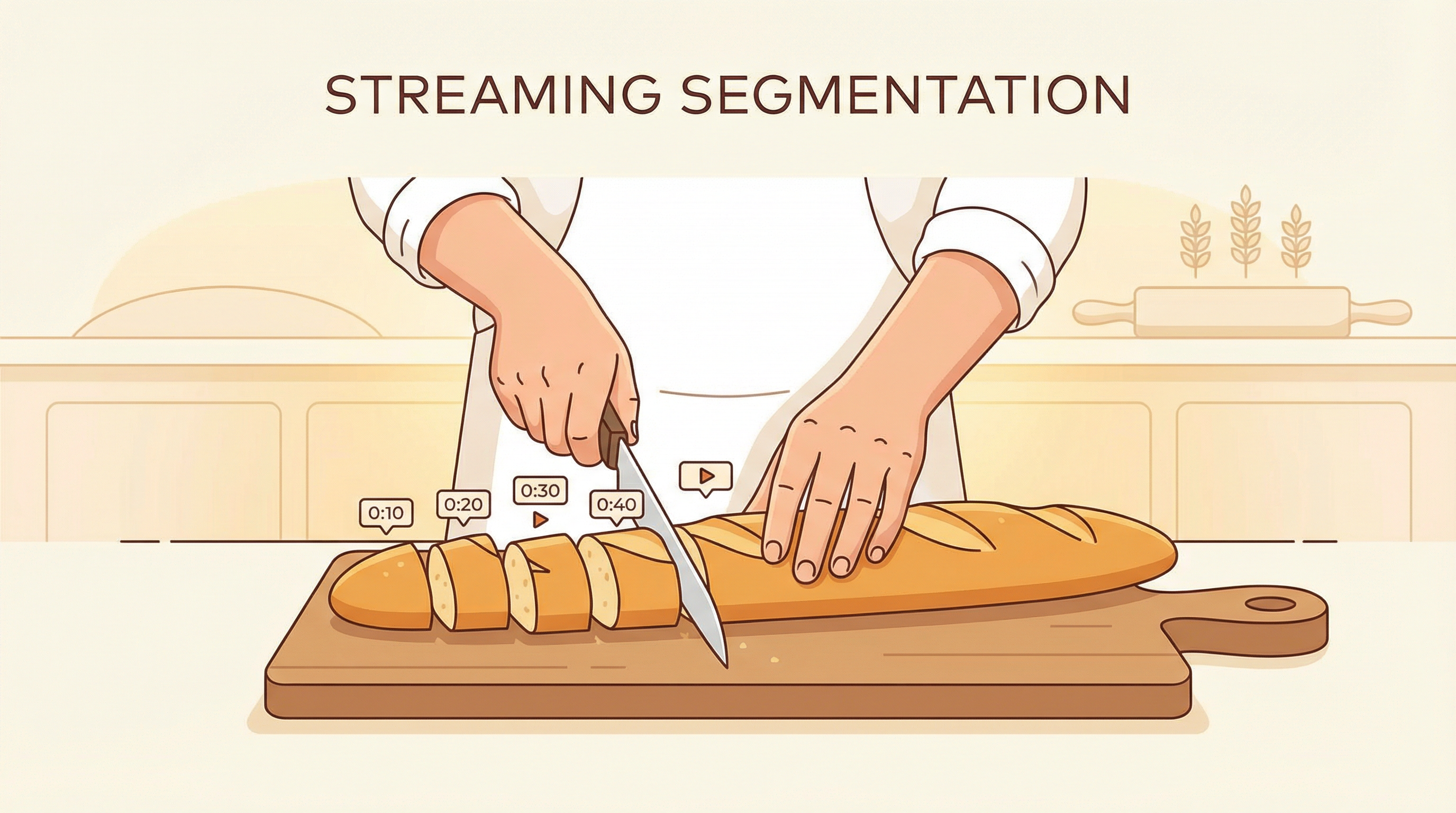 HLS is like slicing bread: cutting a long baguette into countless thin slices for the player to take one by one
Imagine you have a long baguette (this is like your original video file).
If you want to distribute this bread to a hundred people waiting in line, traditional MP4 progressive download is like trying to stuff the whole baguette directly to the first person. He must hold it steady (download enough buffer) before he can start eating (playing). If the bread is too heavy (file too large) or he is not strong enough (slow internet speed), he will get stuck.
HLS (HTTP Live Streaming)—the protocol behind m3u8—does something completely different.
It cuts this long bread into countless small thin slices.
- TS Files (.ts): These are the sliced bread pieces. Each file usually contains only a few seconds of video content.
- M3U8 File (.m3u8): This is actually a “menu” or “index list.” It tells the player: “Eat the first slice first, then the second slice, and so on…”
When you are watching a video, the player is actually constantly downloading these tiny slices.
What’s the benefit?
Extremely fast startup speed. The player only needs to download the first few seconds of a small slice to start playing immediately, without needing to preload a large amount of data.
Step 2️⃣: Adaptive Bitrate—HLS’s Killer Feature (ABR)
 A smart butler automatically serves different quality “bread” according to your “appetite” (internet speed)
Have you noticed that when you watch a video in the subway and the signal suddenly gets worse, the picture becomes slightly blurry, but the video doesn’t buffer?
This is HLS’s most powerful feature: Adaptive Bitrate (ABR).
It’s like magic.
On the server side, we don’t just slice one loaf of bread. We actually prepare three loaves of bread of different qualities:
- Fine Premium Bread (1080p): For people with fast internet.
- Regular Bread (720p): For people with average internet.
- Rough Dry Bread (480p): For people with poor internet.
The m3u8 Master Playlist lists all three options.
The player acts like a smart butler, monitoring your internet speed at all times.
- Fast internet? “Boss, serving you the 1080p slice!”
- Entered an elevator? “Network getting worse, automatically seamlessly switching to 480p slice, guaranteeing no buffering!”
If you are still using a single MP4 file, you can’t do this. MP4 is a one-off deal: either HD but buffering, or smooth but blurry. You can’t have both.
Step 3️⃣: Why is MP4 “Past Tense”?
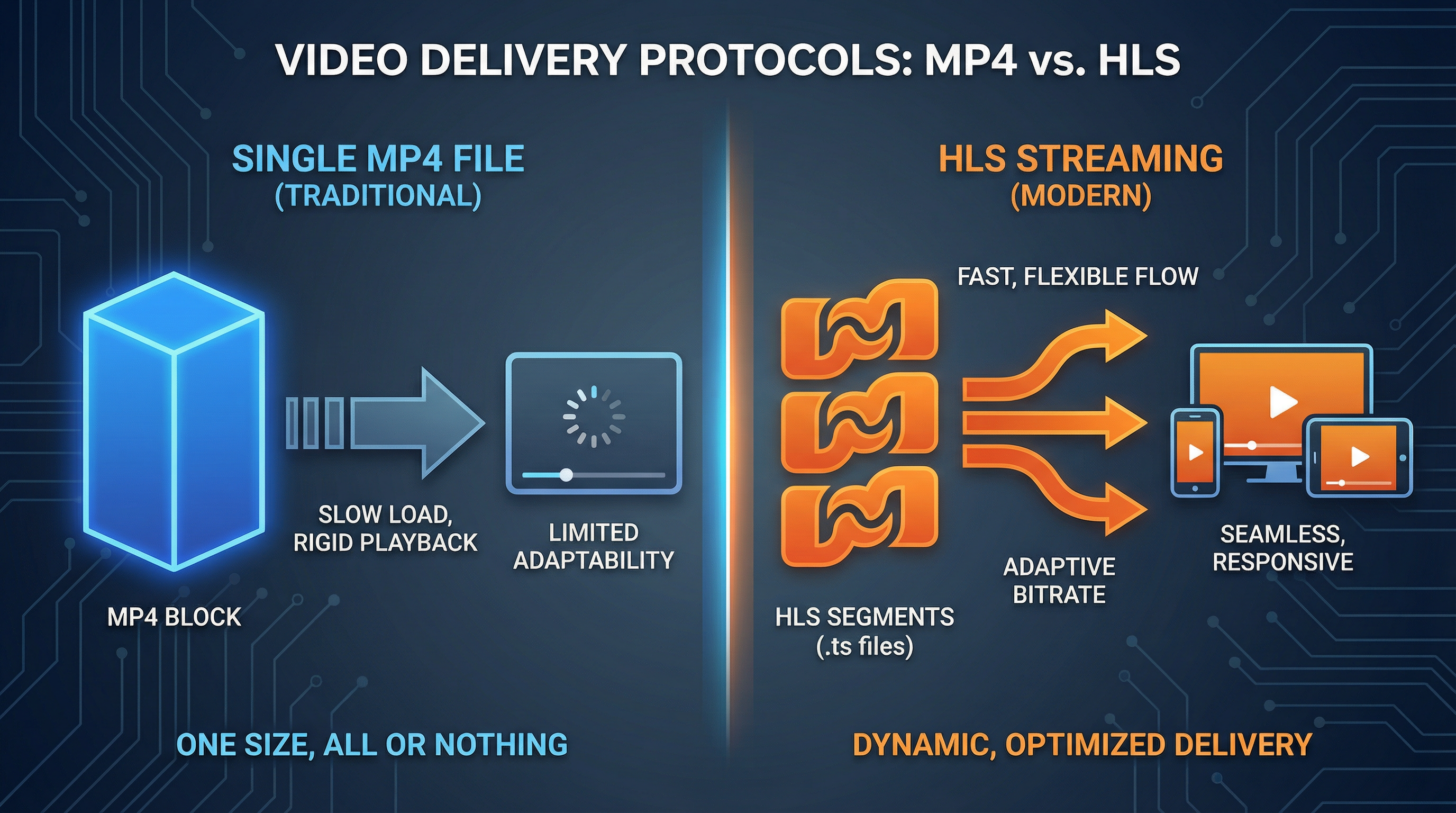 MP4 is a clunky single file, HLS is a flexible segmented stream
Don’t get me wrong, MP4 is still great for short video scenarios (like TikTok’s 15-second clips). It’s simple and has good compatibility.
But in the field of long videos and live streaming, HLS is the king.
Let’s make a simple comparison:
| Feature | MP4 Progressive Download | HLS (m3u8) |
|---|---|---|
| Startup Speed | Slow (depends on file header size) | Extremely Fast (only needs first slice) |
| Weak Network Resilience | Poor (freezes if speed isn’t enough) | Strong (auto-downgrades to keep smooth) |
| Server Load | High (long connections, large file I/O) | Low (HTTP short connections, utilizes CDN caching) |
| Compatibility | Perfect | Excellent (Native on Safari, requires hls.js on others) |
Conclusion: If your video is longer than 1 minute, or you need to serve mobile users, please stop using raw MP4.
Step 4️⃣: Watch Out for Those “Gotchas”
Sounds like HLS is perfect? It’s not.
As a developer who has stepped into countless pitfalls, I need to warn you about the dark side of HLS.
1. Maddening Live Latency
If you use HLS for live streaming, you will find that the picture users see is 20 to 30 seconds later than the actual scene. Why? Because the player needs to buffer 2-3 slices (10 seconds each) before it dares to start playing to prevent buffering.
- Solution: Shorten the slice duration (e.g., 2 seconds), or use Low Latency HLS (LL-HLS). But don’t expect it to achieve second-level synchronization like RTMP.
2. Cross-Origin (CORS) Nightmare
Since m3u8 and ts slices are usually stored on a CDN, different from your web page domain. If your CDN doesn’t have the CORS header (Access-Control-Allow-Origin) configured properly, your video will directly black screen and report an error.
- Pro Tip: Before going live, be sure to check the CDN’s CORS configuration and ensure that OPTIONS requests can be responded to correctly.
3. No Absolute “Download Prevention”
Many bosses choose HLS thinking it can “prevent theft.” Wrong. Although HLS shreds the video so ordinary users can’t directly “Right Click -> Save As,” for users who know a little tech, downloading m3u8 and merging slices only takes one line of FFmpeg command.
- Real Method: Use HLS encryption (AES-128) or DRM (Digital Rights Management), but this will significantly increase development costs.
The Bottom Line
Switching from MP4 to HLS isn’t just to show off skills.
It’s for survival.
In today’s mobile-first, complex network environment era, users have zero tolerance for “buffering.”
- If you want your video service to be as professional as Netflix.
- If you want to save on expensive bandwidth costs.
- If you want users to watch smoothly on any network.
Embrace m3u8.
Although it’s a bit more troublesome to configure than MP4, involving slicing, indexing, and server configuration, the user experience improvement it brings is exponential.
Stop being a “digital plumber” and start building a real streaming media system.
Found this article useful? If you are interested in video technology, or have encountered HLS pitfalls in development, feel free to leave a comment. If you want to learn more hardcore knowledge about front-end performance optimization, don’t forget to follow me!