
The Ultimate Guide to Free Popular IPTV Playlists (February 2026): 10,000+ Channels from Around the World
Discover the best free IPTV M3U playlists with 10,000+ channels worldwide. Complete guide to setup, players, security, and troubleshooting for cord-cutters in 2026.
The Ultimate Guide to Free Popular IPTV Playlists (February 2026): 10,000+ Channels from Around the World
It’s 11 PM on a Friday night. You’ve finished a long week, and all you want to do is sink into your couch and watch that international soccer match everyone’s talking about. You grab the remote, cycle through your five different streaming subscriptions, and come up empty. The match is geo-blocked. A wave of frustration washes over you as you stare at the monthly bills piling up—Netflix, Hulu, Disney+, a sports package that barely covers your favorite teams—and you wonder, “Isn’t there a better way?”
If this scenario feels painfully familiar, you’re not alone. Welcome to the age of subscription fatigue, a digital exhaustion born from juggling countless paid services, each with its own walled garden of content. We were promised a world of choice, but it often feels like a labyrinth of fees, restrictions, and endless scrolling. But what if you could unlock a universe of global content, from live sports and breaking news to blockbuster movies and niche TV shows, all without paying a single subscription fee? What if you could build a personalized television experience that puts you back in control?
This isn’t a far-fetched dream; it’s the reality of free popular IPTV playlists. For years, a dedicated global community of cord-cutters, tech enthusiasts, and hobbyists has been curating massive collections of publicly available television channels. These collections, often found in simple text files known as M3U playlists, act as a master key to a world of entertainment. We’re talking about access to over 10,000 channels from virtually every country on the planet.
This guide is your treasure map to that world. We’ve spent countless hours navigating the depths of the internet, testing hundreds of links, and analyzing what makes a playlist truly great. We’ve sifted through the dead ends and broken links to bring you a definitive, battle-tested resource for February 2026. Whether you’re a complete beginner wondering what “IPTV” even means or a seasoned streamer looking for the most reliable sources, this article has you covered. We will walk you through everything: what M3U playlists are, where to find the best ones, how to set them up on any device, and how to do it all safely and securely. Prepare to say goodbye to subscription fatigue and hello to a new era of television freedom in-found freedom in streaming.
What is IPTV and an M3U Playlist? Your Gateway to Global TV
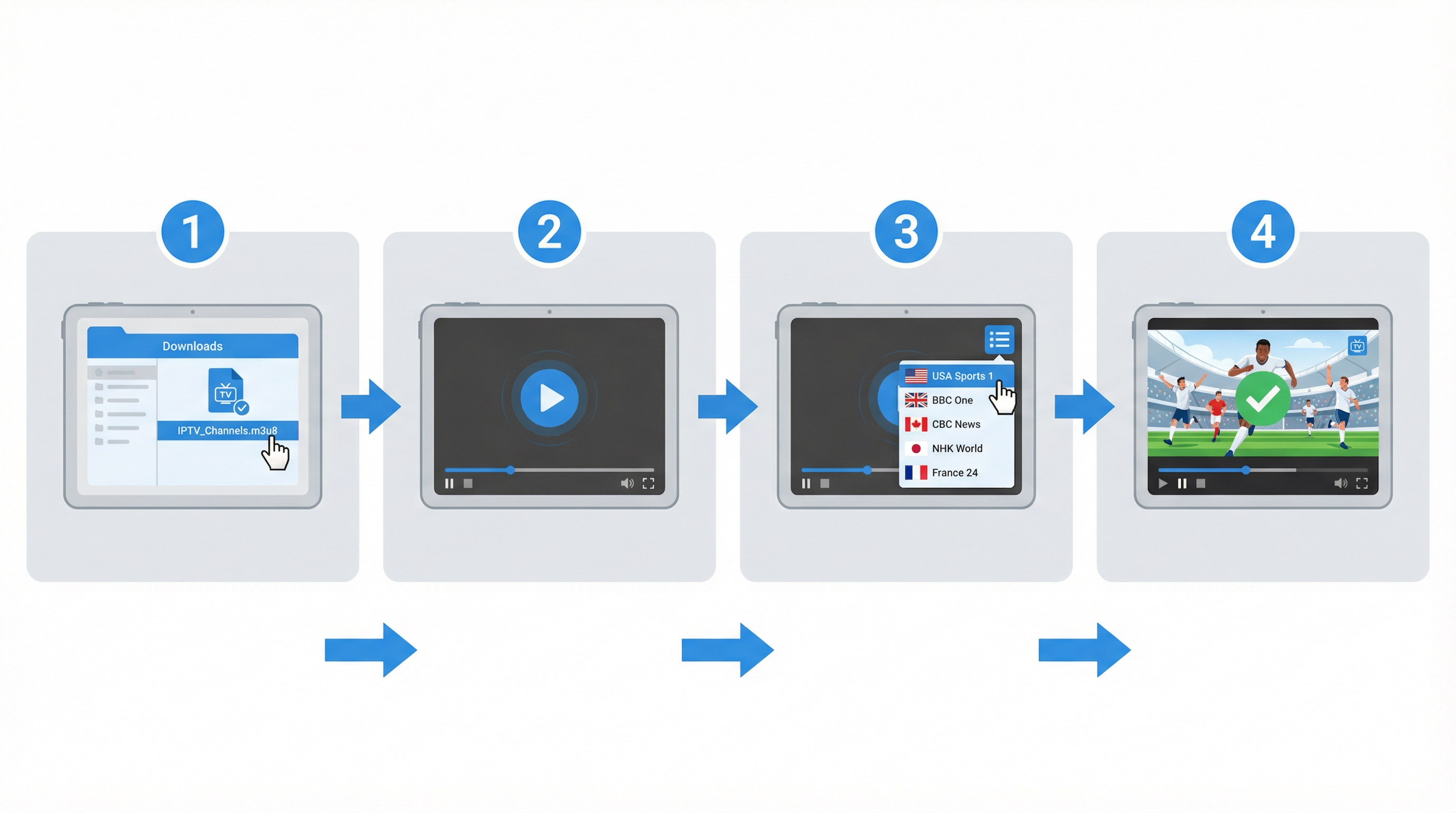
Before we dive into the treasure trove of free channels, it’s essential to understand the simple yet powerful technology that makes it all possible. The terms “IPTV” and “M3U” might sound technical, but the concepts are surprisingly straightforward.
IPTV: Television on Your Terms
IPTV stands for Internet Protocol Television. In the simplest terms, it’s a method of delivering television content over the internet, rather than through traditional terrestrial, satellite, or cable formats. Instead of receiving signals from a satellite dish or a physical cable, your TV, computer, or streaming device receives video streams directly through your internet connection. This is the same fundamental technology that powers services like Netflix and YouTube, but IPTV is specifically focused on delivering live television channels as well as on-demand content.
M3U Playlist: The Magic Key
So, how does your device know where to find these thousands of channels on the vast internet? This is where the M3U playlist comes in. An M3U file is essentially a plain text file that acts as a playlist. Its name is short for “MP3 URL,” reflecting its origins in music playlists, but it has since become the standard for video streaming as well.
Inside an M3U file, you’ll find a list of URLs. Each URL points to a specific live TV stream on the internet. The file also contains metadata for each channel, such as its name, logo, and the group it belongs to (e.g., “News,” “Sports,” “USA”).
Here’s a simplified look at what a line in an M3U file might look like:
#EXTINF:-1 tvg-id="CNN.us" tvg-logo=" group-title="News",CNN
https://example.com/stream
#EXTINF:-1: A command that tells the player this is a track with metadata.tvg-logo: The URL for the channel’s logo.group-title: The category the channel belongs to.CNN: The name of the channel.- **`https://example.com/stream The actual link to the live video stream.
When you load this M3U file into an IPTV player app, the app reads this information, organizes all the channels into a user-friendly guide, and plays the video stream when you click on a channel. Think of the M3U file as a phone book, and the IPTV player as the phone that dials the numbers.
Free vs. Paid IPTV: What’s the Difference?
It’s important to distinguish between free and paid IPTV services. Paid IPTV services are subscription-based providers that charge a monthly fee for access to a curated list of channels, often including premium sports and movie networks. While some are legitimate, many operate in a legal gray area and can be unreliable.
Free IPTV playlists, the focus of this guide, are collections of publicly available streams curated by communities of volunteers. These playlists, like the ones hosted on GitHub, gather links to channels that are already streaming for free on the internet. The quality and reliability can vary, but the best ones, which we will highlight, are surprisingly robust.
A Crucial Note on Legality and Safety
The world of IPTV exists in a complex legal landscape. While many channels in these free playlists are legitimately streaming online (such as public news channels or free-to-air broadcasts), others may not have the proper licensing for redistribution in all regions. As a user, it is your responsibility to be aware of the copyright laws in your country.
Disclaimer: We do not host, control, or endorse any of the streams or playlists mentioned in this article. All content is sourced from publicly available repositories on the internet. We cannot verify the legality of every stream in every jurisdiction and strongly advise users to conduct their own due diligence. Accessing copyrighted content without permission may be illegal in your country.
Why a VPN is Non-Negotiable for IPTV Streaming
Given the legal ambiguities and the fact that your Internet Service Provider (ISP) can monitor your online activity, using a Virtual Private Network (VPN) is absolutely essential when streaming from IPTV playlists. A VPN encrypts your internet traffic and masks your IP address, providing two critical benefits:
- Privacy and Anonymity: A VPN prevents your ISP, government agencies, and other third parties from seeing what you are streaming. This protects you from potential legal issues and ensures your viewing habits remain private.
- Bypassing Geo-Restrictions: Many streams are geo-blocked, meaning they are only accessible from certain countries. A VPN allows you to connect to a server in another country, making it appear as if you are browsing from that location and unlocking a world of content.
For a reliable and fast streaming experience, we recommend using a reputable VPN service known for its strong privacy policies and high-speed servers. This is a small investment that provides invaluable peace of mind and access to a world of content.
The Best Free IPTV Playlists for 2026
 : Our Top 10 Picks
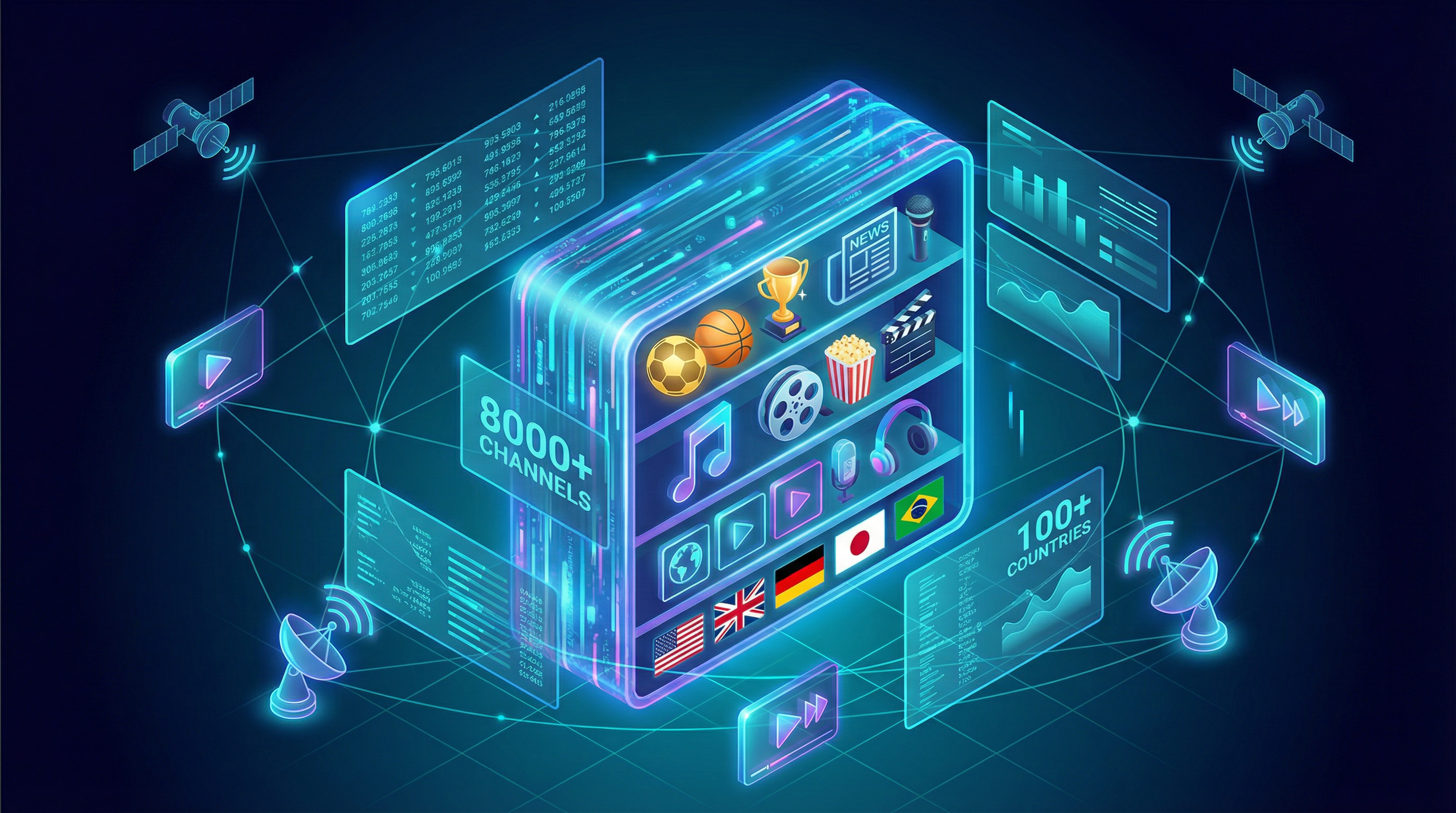
Now for the main event. After extensive research and testing, we’ve curated a list of the top 10 free IPTV playlists that offer the best combination of reliability, channel variety, and ease of use for February 2026. These playlists are the cream of the crop, drawing from the most reputable and actively maintained sources available.
1. IPTV-Org: The Mother of All Playlists
- Source: GitHub Community Project
Why we recommend it: This isn’t a static playlist, but a powerful tool for advanced users. EPGHub allows you to browse available channel sources and curate a personalized M3U playlist tailored to your exact needs. You can mix and match channels from different countries and services to create your ultimate viewing guide. It’s the perfect tool for those who want to take their IPTV experience to the next level.
The Ultimate IPTV Playlist Library: Explore by Category, Country, and Language
While our top 10 list provides a fantastic starting point, the true power of IPTV lies in its incredible depth and variety. For those who wish to explore further, we’ve compiled a comprehensive library of playlists drawn directly from the authoritative iptv-org GitHub repository. This allows you to find exactly what you’re looking for, whether it’s channels from a specific country, in a particular language, or dedicated to a niche category.
Simply copy the URL of the playlist you want and add it to your IPTV player.
Playlists by Category
Looking for something specific? This table organizes thousands of channels into popular categories, from live sports to 24/7 movie streams.
| Category | Channel Count | Playlist URL |
|---|---|---|
| Sports | 185+ | ` |
| News | 500+ | ` |
| Movies | 265+ | ` |
| Entertainment | 280+ | ` |
| Kids | 170+ | ` |
| Music | 390+ | ` |
| Documentary | 55+ | ` |
| Comedy | 50+ | ` |
| Lifestyle | 70+ | ` |
| General | 840+ | ` |
Playlists by Country and Region
Want to tune into local broadcasts from your home country or explore television from another part of the world? Use these geographically sorted playlists. (A VPN may be required to view content from certain regions).
| Country / Region | Flag | Channel Count | Playlist URL |
|---|---|---|---|
| USA | 🇺🇸 | 1,500+ | ` |
| United Kingdom | 🇬🇧 | 300+ | ` |
| Canada | 🇨🇦 | 150+ | ` |
| Australia | 🇦🇺 | 100+ | ` |
| India | 🇮🇳 | 200+ | ` |
| Germany | 🇩🇪 | 260+ | ` |
| France | 🇫🇷 | 240+ | ` |
| Europe (Region) | 🇪🇺 | 3,000+ | ` |
| Latin America (Region) | 🌎 | 500+ | ` |
| Asia (Region) | 🌏 | 1,000+ | ` |
Playlists by Language
For multilingual households or language learners, these playlists group channels by the language they are broadcast in, making it easy to find content you can understand and enjoy.
| Language | Channel Count | Playlist URL |
|---|---|---|
| English | 2,000+ | ` |
| Spanish | 450+ | ` |
| Arabic | 320+ | ` |
| Chinese | 180+ | ` |
| French | 240+ | ` |
| German | 260+ | ` |
| Hindi | 50+ | ` |
| Portuguese | 150+ | ` |
| Russian | 200+ | ` |
How to Use IPTV Playlists: A Complete, Step-by-Step Tutorial
Now that you have a list of powerful M3U playlists, it’s time to put them to use. To do this, you’ll need an IPTV player app. These apps are designed to read M3U files, organize the channels into a user-friendly interface, and play the video streams. Here’s everything you need to get started.
5.1 Our Recommended IPTV Players
While there are dozens of players available, a few stand out for their features, stability, and ease of use. We recommend starting with one of these:
- IPTV Smarters Pro: Widely regarded as one of the best all-around players. It has a clean, modern interface, supports multiple playlists, and offers a great user experience. It’s available on a wide range of devices.
- TiviMate: A favorite among power users, TiviMate offers a highly customizable interface that mimics the feel of a premium cable box. It has excellent EPG (Electronic Program Guide) integration and is perfect for those who want a polished, professional experience.
- Kodi: More than just a player, Kodi is a full-fledged media center. With the PVR IPTV Simple Client add-on, it becomes a powerful tool for managing and watching IPTV. It’s endlessly customizable but has a steeper learning curve.
- VLC Media Player: The swiss-army knife of media players can also play M3U playlists. While it lacks the fancy interface and EPG support of dedicated IPTV apps, it’s a quick and easy way to test a playlist on a PC or Mac.
- M3U8 Player (Web-Based): For those who prefer not to install any software, M3U8 Player offers a professional online solution. Simply paste your M3U8 URL directly into your browser and start watching instantly. It supports HLS live streams, offers adaptive bitrate streaming, and works across all devices without downloads. It’s particularly useful for quickly testing a playlist before committing to a full app installation.
5.2 Step-by-Step Guide: Setting Up IPTV Smarters Pro
For this tutorial, we’ll use IPTV Smarters Pro as our example, as it provides the best balance of simplicity and power. The process is similar for other apps.
Step 1: Install IPTV Smarters Pro
First, you need to install the app on your device. You can find it on the Google Play Store for Android devices or the Apple App Store for iOS. For streaming devices like the Amazon Firestick, you may need to “sideload” it using the Downloader app, as it might not be available in the official Amazon Appstore.
(Image Placeholder: Screenshot of IPTV Smarters Pro in the Google Play Store)
Step 2: Open the App and Add a New User
When you first launch IPTV Smarters, it will ask you to accept the terms of use. After that, you’ll be on a screen with options to add a new user. Since we are using an M3U file, you will select the option that says “Load Your Playlist or File/URL” or “Login with M3U URL.”
(Image Placeholder: Screenshot of the IPTV Smarters home screen showing the ‘Add User’ options)
Step 3: Enter the Playlist Details
A new screen will appear asking for a few details:
- Playlist Name: Give your playlist a memorable name. For example, “IPTV-Org Global.”
- Playlist Type: Select “M3U URL.”
- File/URL: This is the most important part. Carefully type or paste the M3U URL of the playlist you chose from our list above. For example: `
After entering the details, click the “Add User” button.
(Image Placeholder: Screenshot of the screen for entering the M3U playlist name and URL)
Step 4: Wait for the Channels to Load
The app will now connect to the URL and begin downloading the channel list. This might take a few minutes, especially for a large playlist like IPTV-Org. You’ll see a message like “Updating Channels, Movies, and Series…”
(Image Placeholder: Screenshot of the ‘Updating Channels’ loading screen)
Step 5: Start Watching!
Once the download is complete, you’ll be taken to the main dashboard of the app. From here, you can select “Live TV,” “Movies,” or “Series.” Click on “Live TV,” and you will see a list of channel groups on the left and the channels within that group on the right. Simply click on a channel to start streaming. Congratulations, you now have access to thousands of channels from around the world!
(Image Placeholder: Screenshot of the IPTV Smarters interface showing the channel list and EPG)
5.3 Setup Guides for Popular Devices
- Amazon Fire TV / Firestick: Since IPTV Smarters is not always in the Amazon Appstore, the easiest way to install it is with the Downloader app. First, enable “Apps from Unknown Sources” in your Firestick’s settings. Then, open Downloader, enter the official IPTV Smarters website URL or a direct download code, and install the APK file.
- Android TV / Google TV (e.g., Nvidia Shield, Chromecast with Google TV): Simply search for “IPTV Smarters Pro” or “TiviMate” in the Google Play Store and install it directly.
- Apple TV: Search for “IPTV Smarters Pro” in the Apple App Store and install it.
- PC or Mac: You have two excellent options. For a traditional desktop experience, use VLC Media Player—simply open VLC, go to “Media” > “Open Network Stream,” paste your M3U8 URL, and click “Play.” Alternatively, for instant browser-based playback without any installation, visit M3U8 Player and paste your playlist URL directly into the web player. This is especially convenient for quick testing or if you’re on a computer where you can’t install software.
Enhancing Your Experience with an EPG (Electronic Program Guide)
Watching channels is great, but knowing what’s on is even better. An EPG (Electronic Program Guide) adds a familiar, cable-like TV guide to your IPTV player, showing you program schedules for all your channels. Most free playlists do not include EPG data by default, but you can easily add it yourself.
Recommended EPG Sources
Just like M3U playlists, there are publicly available EPG files in a format called XMLTV. Here are some of the most reliable sources:
- IPTV-Org EPG: The same community that provides the massive channel list also maintains a repository of EPG data. You can find a list of sources in their
iptv-org/epgGitHub repository. - EPG.best: A popular and reliable source for global EPG data.
- Globe TV EPG: Offers EPG files broken down by country, which can be easier to manage.
Example EPG URL from IPTV-Org: ` (This is for US channels)
How to Add an EPG to Your Player
In your IPTV player’s settings (usually under “Playlist Settings” or “EPG Sources”), you will find an option to “Add EPG Source.” Simply paste the EPG URL you want to use. The app will then match the EPG data to the channels in your playlist. You may need to refresh your playlist for the guide to appear.
Frequently Asked Questions (FAQ)
1. Why do some channels stop working? Free IPTV streams can be unstable. The original source may have taken the stream offline, changed the URL, or blocked access. This is why it’s crucial to use playlists like IPTV-Org that are updated daily.
2. Is using IPTV legal? As mentioned, it’s a legal gray area. The technology itself is legal. However, streaming copyrighted content without permission is not. Stick to publicly available channels and always use a VPN to protect your privacy.
3. Do I absolutely need a VPN? Yes. We cannot stress this enough. A VPN protects your privacy from your ISP and helps you bypass geo-restrictions, giving you access to more content, more securely.
4. How can I improve buffering issues? Buffering can be caused by a slow internet connection, an unstable stream, or a slow VPN server. Try connecting to a different VPN server closer to the stream’s source country. If the problem persists, the issue is likely with the stream itself, and you should try a different channel.
5. Can I use one playlist on multiple devices? Yes. An M3U playlist is just a text file. You can load the same M3U URL into IPTV players on as many devices as you like.
Advanced Tips and Tricks
- Create a Custom Playlist: Don’t be afraid to edit an M3U file yourself! You can open it in a text editor, remove channels you don’t watch, and even merge lines from multiple playlists into a single, personalized file.
- Use a Playlist Manager: For ultimate control, tools like
xTeVeorIPTV-Editorallow you to manage your playlists in a web interface, filter out unwanted channels, and create a custom M3U file that you can then load into all your devices. - Quick Playlist Testing: Before committing to installing an app or adding a large playlist to your device, test it first using an online player like M3U8 Player. Simply paste the playlist URL to instantly see if the streams are working. This saves time and helps you identify dead links or low-quality sources before they clutter your main setup.
- Troubleshooting: If a playlist fails to load, the first step is to paste the URL directly into your web browser. If it prompts a download or shows text, the link is likely valid, and the issue may be with your player. If it gives a “404 Not Found” error, the link is dead.
Conclusion: The Future of Your Television is in Your Hands
The world of free IPTV playlists is a testament to the power of community and the desire for a more open, accessible media landscape. It offers a powerful antidote to the rising costs and frustrating limitations of mainstream streaming services. By harnessing the power of M3U playlists and a reliable IPTV player, you can unlock a virtually limitless universe of content from every corner of the globe.
While it requires a bit of setup and a healthy dose of curiosity, the rewards are immense. You are no longer a passive consumer but the curator of your own global television network. Remember to always prioritize your privacy and security by using a trusted VPN, and be mindful of the legal landscape in your region.
So, dive in, start exploring, and share your experiences. The journey of a thousand channels begins with a single M3U link. Welcome to the future of television.